



It is the last week of the month. Your accountant is racing to consolidate teachers' attendance, chase down rescheduled lessons, and reconcile everything in a spreadsheet before the payroll due date. One tutor is paid hourly, another earns per student, a third has a base salary plus commission — and every formula lives in a different tab. Spreadsheet payroll is slow, error-prone, and the errors are exactly the kind that damage trust with your best teachers.
This guide walks through how to calculate tutor payroll properly: the main pay models (hourly, per-student, flat rate and commission), how to combine them into a single salary policy, how to produce payslips tutors actually understand, and how to run a clean approval process. The examples use SchoolTracs, but the principles apply to any education centre.
Tutor pay models at a glance
| Model | Calculation basis | Common fit |
|---|---|---|
| Hourly | Recorded teaching time | Part-time tutors |
| Per student | Attendance or enrolment headcount | Group classes |
| Flat salary | Fixed pay period | Full-time roles |
| Commission or bonus | Defined target or revenue rule | Mixed compensation plans |
What are the main ways to pay tutors?
Most tutor contracts are built from a small set of building blocks. Getting payroll right starts with naming which blocks each contract uses:
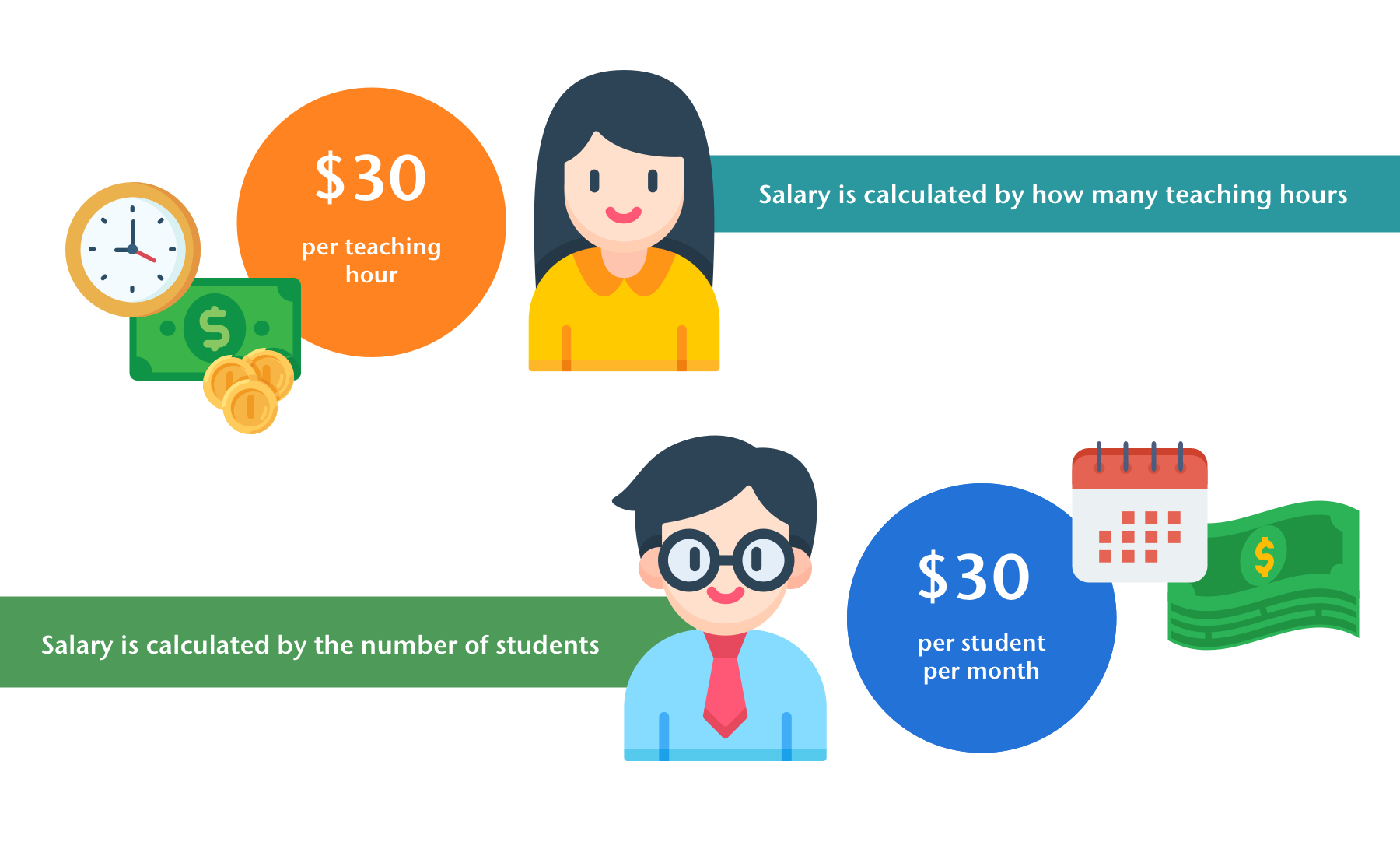
- Hourly rate: pay is calculated from teaching hours recorded on the timetable. Best for part-time tutors and predictable costs.
- Per-student rate: pay is calculated from the number of students in each lesson, so tutor income tracks enrollment.
- Flat rate (fixed salary): a fixed monthly amount, typical for full-time staff with admin duties.
- Commission and bonus: extra pay layered on top of a base, driven by headcount levels or revenue targets.
- Deductions: tax, pension or insurance contributions, usually calculated by percentage and subtracted from the payable amount.
A real salary policy is usually a combination — for example, a flat base plus a per-student commission, minus a percentage pension contribution. The mistake most centres make is trying to express that combination in spreadsheet formulas that only one person understands.
How do I calculate pay by hours or by number of students?
For the basic salary, decide whether the driver is teaching hours or student headcount, then set the rate:
- Set an hourly rate, and the system calculates pay from each teacher's teaching records on the timetable.
- Set a rate per student, and pay is calculated from the number of students in each lesson taught.
- With one click, SchoolTracs fetches the teacher's schedule, applies the rate, and generates a batch of payslips for all staff at once.
Because the calculation pulls directly from the same timetable used for scheduling and attendance, rescheduled lessons and make-ups are already reflected — no end-of-month reconciliation pass needed.
How do I build one salary policy for different contracts?
Part-time and full-time staff need different policies, but you should not need a separate process for each. The approach that scales is rule stacking:
- Start from a base rule: hourly rate, per-student rate, or flat rate.
- Stack additional rules on top: lesson commission, bonus, overtime.
- Add percentage rules for tax, pension or insurance so deductions are calculated automatically.
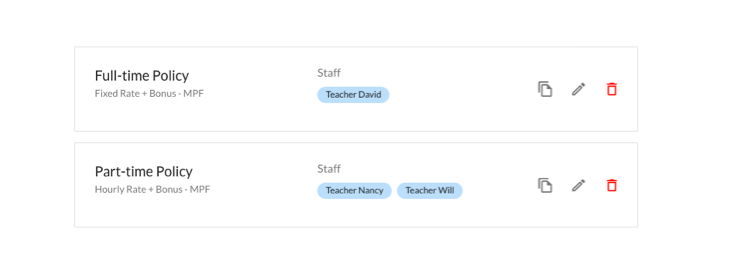
- Save the combination as a named salary policy, then apply it to any new staff member joining on the same terms.
SchoolTracs supports fixed, hourly, or hybrid pay within one payroll setup, so a base salary combined with lesson commissions is a normal configuration, not a workaround. Two separate concepts make this reusable: a Salary Rule is the calculation formula itself (for example, "per student in a lesson"), while a Salary Policy is which rules apply to a given group of staff. Build the rules once, then assign the policy to every new hire on the same contract terms instead of rebuilding the formula each time.
How do commission and bonus schemes work in practice?
Commission schemes motivate tutors to grow their classes — but only if the calculation is transparent. Two schemes cover most centres:
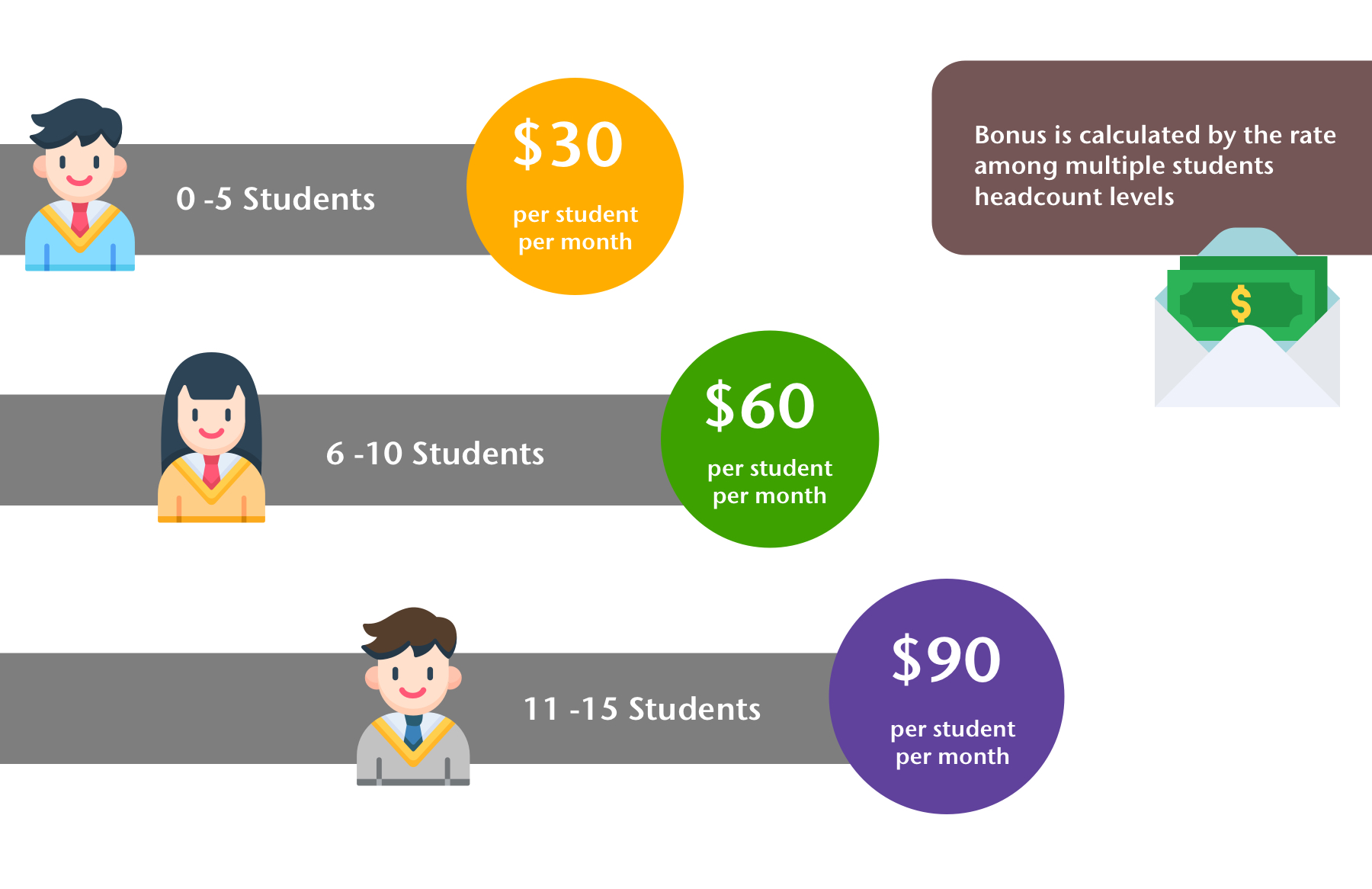
- Bonus by student headcount level: set the rate per student in tiers, so the more students a teacher teaches, the higher the rate — and the bigger the bonus.
- Bonus by percentage of revenue: set a sales target; once the target is met, the teacher's bonus is calculated as a percentage of monthly revenue.
Bonuses and allowances can also be added directly to reward performance while keeping the payroll record accurate — everything appears on the same payslip as the base pay.
How do I handle tax, pension and manual adjustments?
Gross pay is only half the job — the payable amount also needs deductions and one-off corrections:
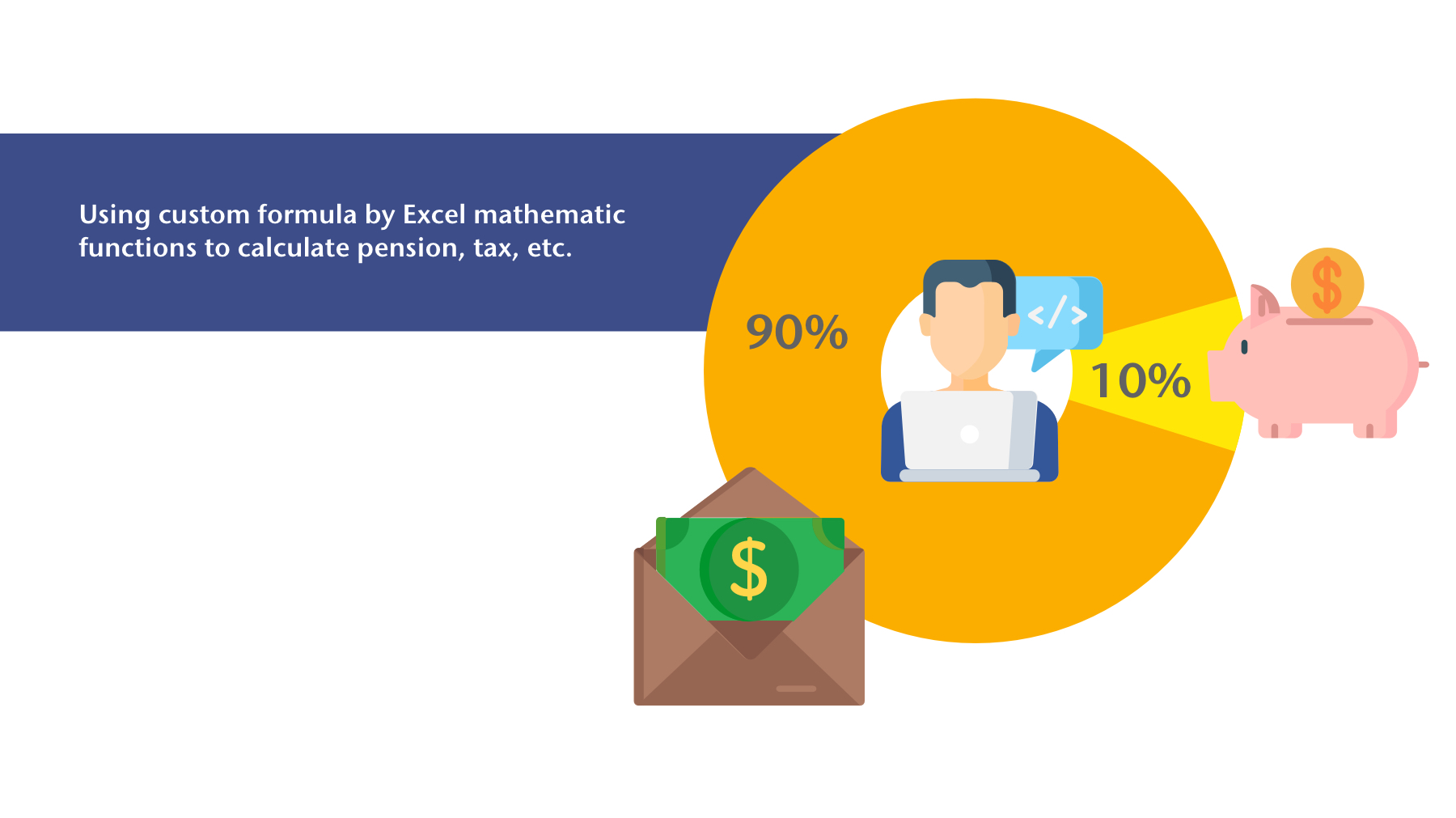
- Calculate tax and pension contributions by percentage, deducted directly from payroll, or use a custom formula for anything your local rules require.
- When automatic calculation cannot cover a case, apply an Excel-style formula or input an amount manually — for pensions, subsidies or ad-hoc bonuses.
- Every adjustment is displayed on the payslip, so the final number is always explainable.
These formulas automate the policy you configure; they do not determine whether that policy complies with employment, tax, pension or MPF law. Verify current local rules, worker classification, thresholds and filing obligations with a qualified payroll or professional adviser.
What should a tutor payslip show?
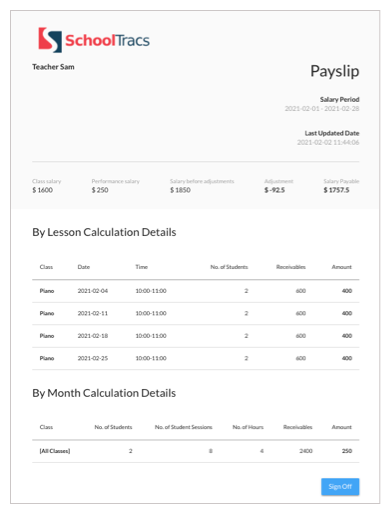
A payslip that only shows a total invites disputes. A detailed payslip with lesson information ensures tutors fully understand how their pay was calculated:
- Every class taught in the period, with class name, date, time and number of students.
- Base pay, commissions, bonuses, and each deduction as a separate line.
- Generated automatically as a batch for all staff, straight from timetable records.
- Optional branch logo and staff details such as full name or Citizen ID number, toggled on if your centre's payslip needs them.
If a teacher questions the payable amount, you can check the payslip against student attendance reports to see whether an attendance record is missing — resolving the discrepancy in minutes instead of a back-and-forth email thread.
How should payroll approval and teacher visibility work?
Getting the numbers right is not the whole workflow — payroll also needs a clean review process that managers and teachers can share:
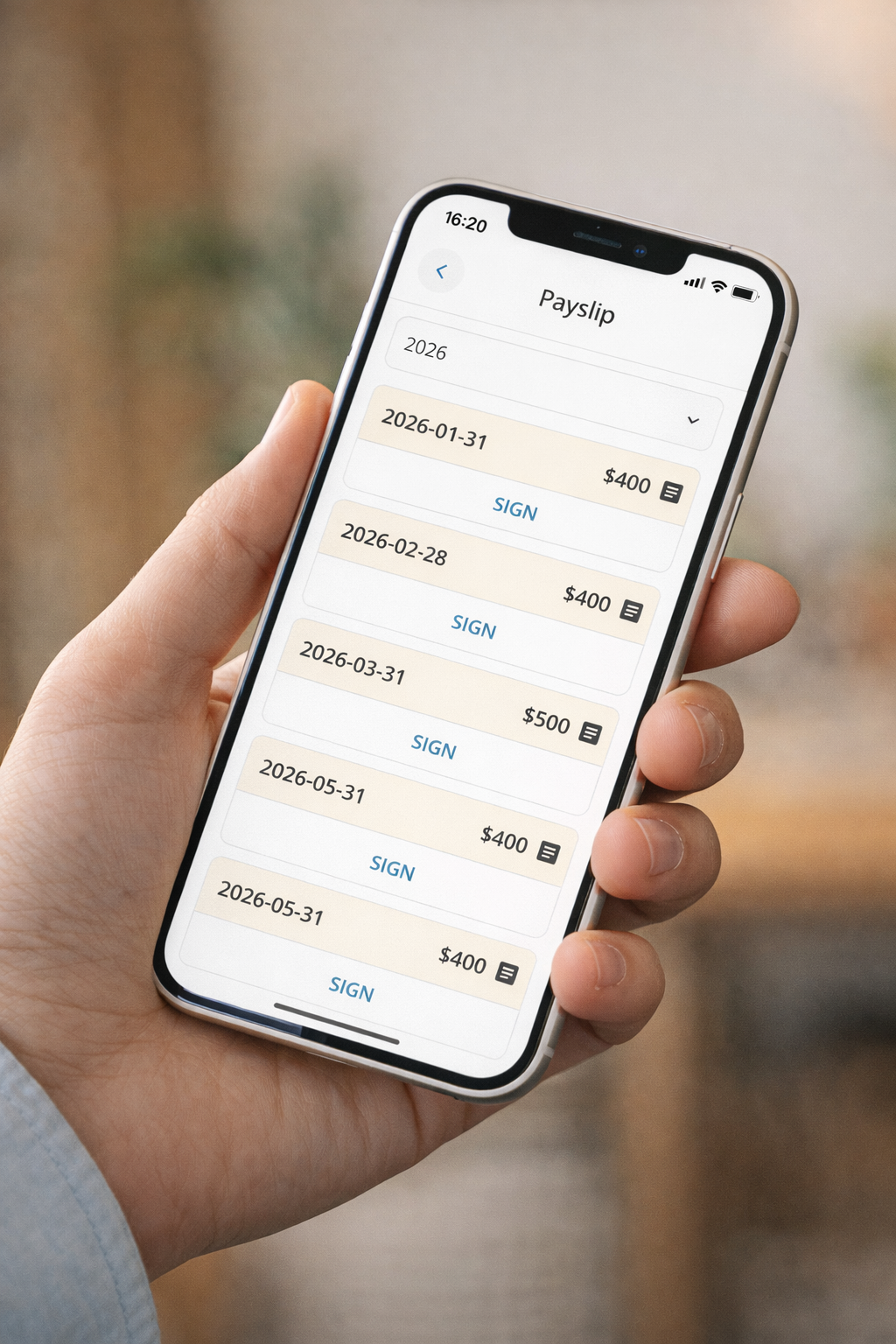
- Managers approve payroll directly in SchoolTracs, giving a clear internal sign-off step.
- Once approved, payroll records become available in the Teacher App, where teachers can review their payslip details anytime.
- Working from the same approved record means fewer questions, faster month-end, and more trust on both sides.
Step-by-step: setting up tutor payroll
- 1. Map your contracts. List each tutor's pay basis: hourly, per-student, flat, or hybrid.
- 2. Create salary rules. Set rates for each basis, plus commission tiers, bonus targets, and percentage deductions for tax and pension.
- 3. Combine rules into policies. Save each combination as a reusable policy and assign it to the matching staff.
- 4. Run the calculation. One click fetches timetable and attendance records and generates batch payslips for everyone.
- 5. Adjust and approve. Add any manual corrections, then let a manager approve the run.
- 6. Publish to teachers. Approved payslips appear in the Teacher App for tutors to review.
Payroll is the money going out of your centre; the other half of cash flow is the money coming in. If invoices go out late or unpaid fees pile up, even a perfectly calculated payroll strains the bank account — see our companion guide on how to collect tuition fees on time.
Stop calculating payroll by hand
Tutor payroll does not have to mean a monthly spreadsheet scramble. With rules for hourly, per-student, flat and commission pay, batch payslips with lesson details, manager approval and Teacher App visibility, SchoolTracs turns payroll into a one-click routine. Try SchoolTracs and run your next payroll in minutes instead of days.
Frequently asked questions
Should I pay tutors hourly or per student?
Pay hourly when class sizes are stable and you want predictable costs. Pay per student when you want tutor pay to track enrollment, so bigger classes earn more. Many centres combine both: an hourly base plus a per-student commission, and management software can calculate the blend automatically from the timetable.
How do I calculate a tutor's commission on top of base salary?
Two common schemes work well. Headcount-level commission pays a higher rate per student once class size passes set thresholds. Revenue-percentage commission pays a share of monthly revenue once a sales target is met. Both can sit on top of a flat or hourly base within a single salary policy.
What should a tutor's payslip include?
Each payslip should list every class taught in the period — class name, date, time and number of students — plus base pay, commissions, bonuses and deductions such as tax or pension. Lesson-level detail lets tutors verify the amount themselves and lets you cross-check any discrepancy against attendance records.
How do I handle tax, pension or MPF deductions in tutor payroll?
Percentage rules and custom formulas can automate tax, pension or MPF calculations and display them on the payslip. They are calculation tools, not a determination of statutory obligations: verify the current rules, worker classification, thresholds and required filings for your jurisdiction with a qualified payroll or professional adviser.
How can tutors check their own payroll records?
With a system like SchoolTracs, a manager approves each payroll run and the approved record then appears in the Teacher App, where tutors can review their payslip and lesson details anytime — cutting down back-and-forth questions at the end of every month.