


Every tuition centre knows the pattern. Invoices go out late because someone has to type them by hand. A parent misses the email. The front desk only discovers the unpaid balance when the student turns up for next term. Multiply that by a hundred students and a few branches, and "we'll chase it next week" quietly becomes a cash flow problem — because cash is what keeps a centre running, and managing receivables is a matter of life and death.
The fix is not chasing harder; it is building a collection system where invoices issue themselves, unpaid students are impossible to miss, and reminders reach parents on the channels they actually read — email, mobile app, and WhatsApp. Here is how to set that up, step by step.
How do I automate recurring tuition invoices?
Issuing recurring invoices by hand eats hours of every working day, and manual invoices are the ones that go out late. Automating them fixes the start of the collection pipeline:
- SchoolTracs automatically registers students in their regular courses for the coming month.
- Each monthly invoice is calculated from the number of lessons the student takes, with holidays taken into account.
- Discounts you have set for specific students or courses are applied automatically — no re-keying, no forgotten promotions.
The result: every recurring payment is invoiced on day one of the cycle, at the right amount, without anyone touching a spreadsheet.
How do I keep invoices in sync with the timetable?
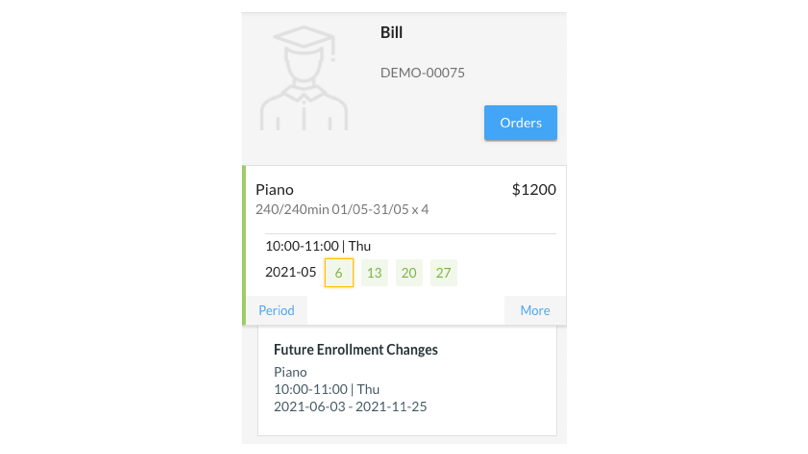
Invoices drift out of date the moment a lesson is rescheduled — unless invoicing and timetable are the same system. In SchoolTracs, once an invoice is created the student's name appears on the timetable, and if you reschedule lessons the corresponding invoice is amended automatically. Invoicing and timetable work together so what you bill always matches what you teach. And when a student pays through the mobile app, their name on the timetable turns black to signal payment received — the timetable itself becomes your collection dashboard.

How do I spot students with outstanding payments?
You cannot chase what you cannot see. Make unpaid balances visible where staff already look every day:
- Unpaid students' names show in red on the timetable, and turn black once they have paid.
- In the POS you can view a full list of outstanding payments at any time, and filter invoices by status — Awaiting, Overdue and so on — under Accounting to work through exactly the group you need.
- Before enrolling a student in future courses, the front desk can discuss and clear the outstanding balance with parents — so debts never roll over into a new term.
What is the best way to send payment reminders?
A reminder only works if the parent sees it — so send it on the channel they actually check, and track delivery:
- Email: enable auto-send invoice reminders, with a log showing whether each email was sent successfully, the sent date, and when it was opened.
- SMS: for short, hard-to-miss nudges.
- Mobile app: parents see exactly which invoice is unpaid, and can pay in-app by credit card, Apple Pay or Alipay. A receipt is generated automatically and the student's name turns black on the timetable.
- Batch sending: send reminders to a whole batch of contacts at once instead of chasing one by one.
Can I send invoices through WhatsApp?
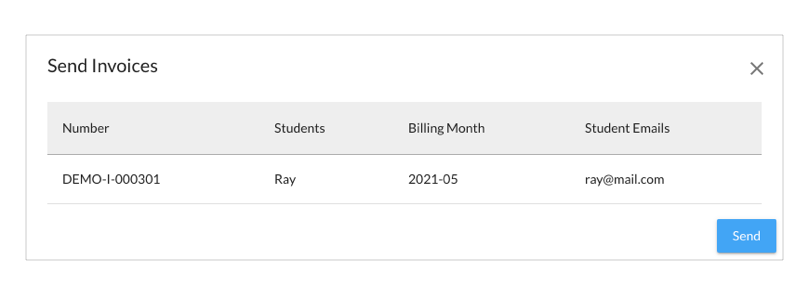
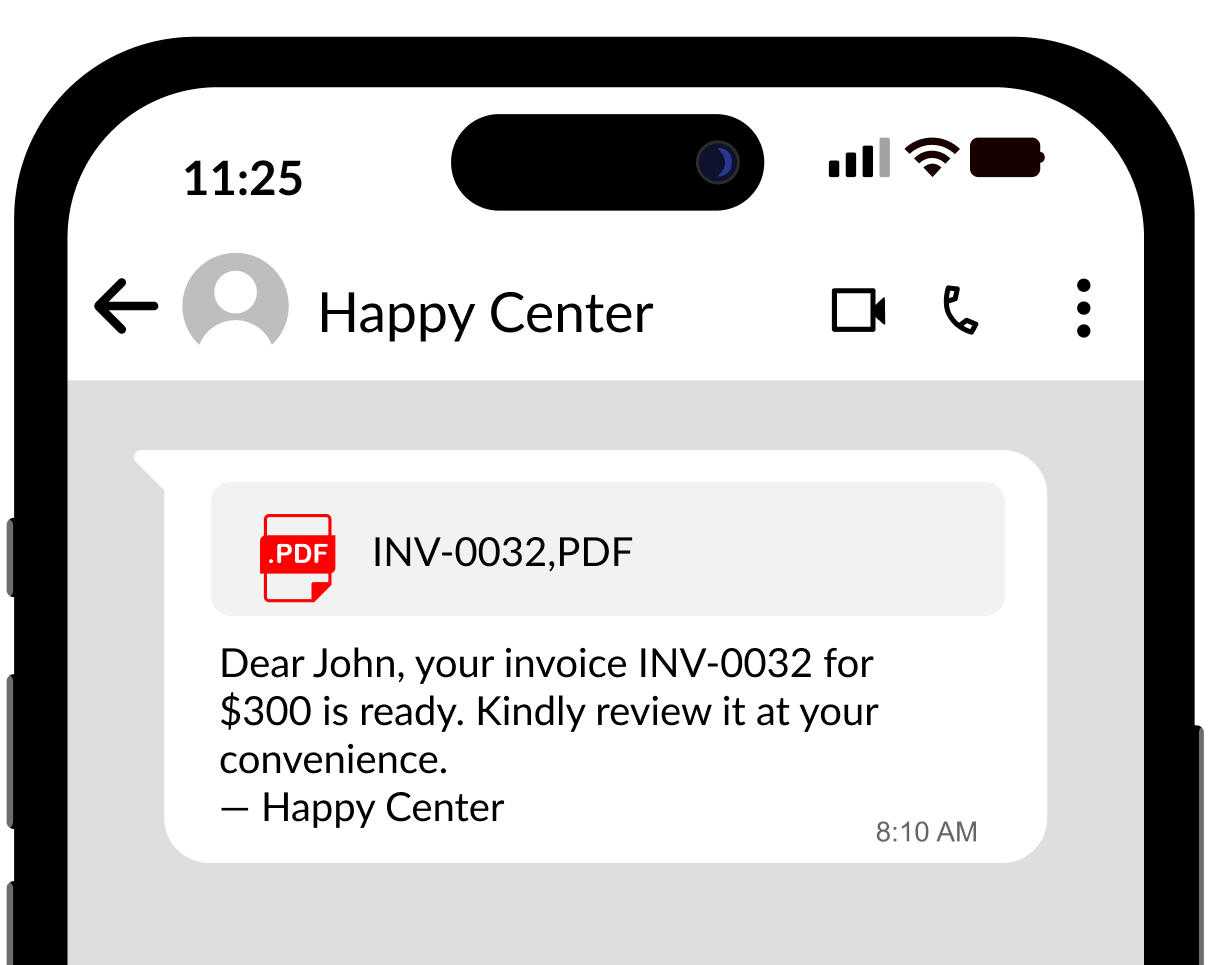
Are parents missing invoices in their email inbox? If your families prefer WhatsApp, SchoolTracs can send invoices and payment receipts through it directly:
- Direct delivery: invoices and receipts go straight to parents on WhatsApp.
- Automatic details: invoice number and amount are filled in automatically — no manual input.
- PDF attachment: each message includes a PDF invoice with clear payment instructions.
To get started you need a verified Meta Business Account specifically — not just a personal or Business WhatsApp login — plus a WhatsApp API phone number and a payment method added. Note that the API phone number cannot be used to log in to the regular WhatsApp or WhatsApp Business app, and Meta charges a messaging fee depending on region and message type.
How do I track outstanding payments across branches?
Individual reminders handle today's collections; reports keep the whole receivables picture honest:
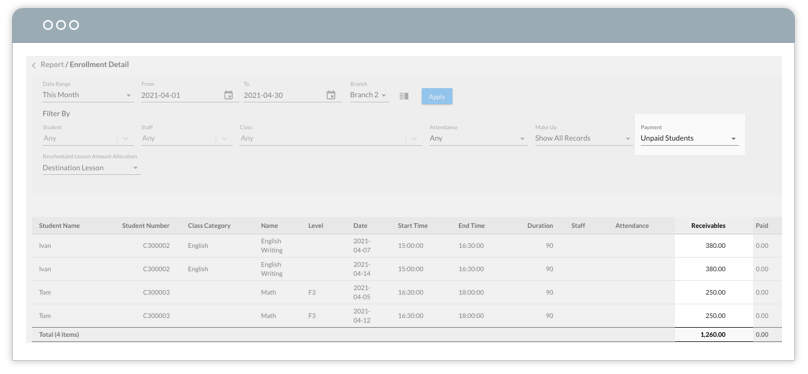
- An automatic outstanding payment report shows the total unpaid amount within the month.
- Use it to predict monthly income and check whether income covers basic operating expenses.
- View receivables across multiple branches at a glance, so you can act promptly on branches carrying large outstanding amounts.
How should my invoices look?
Professional invoices get paid faster and questioned less:
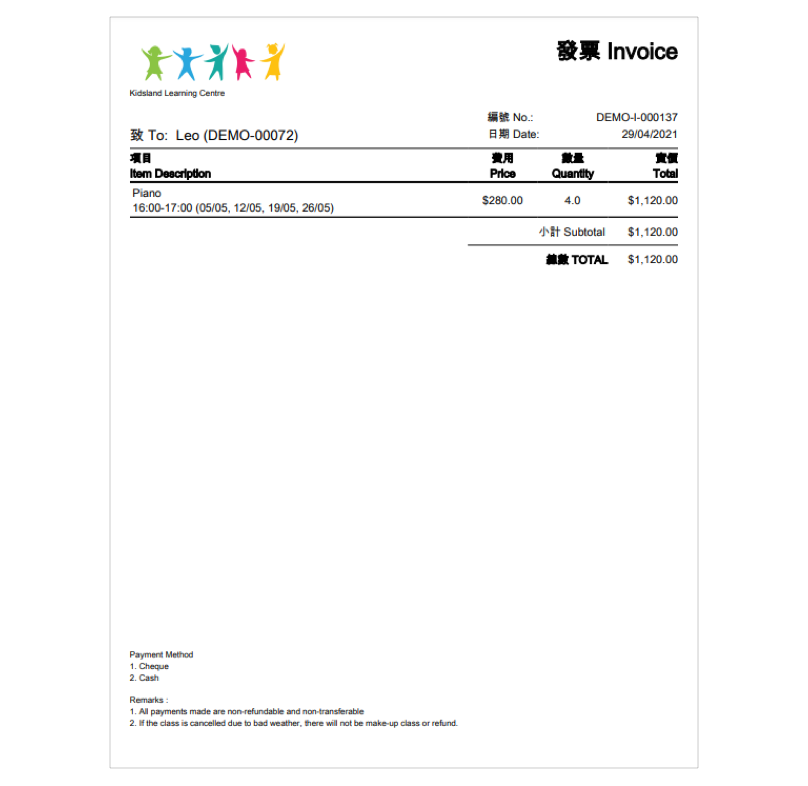
- Add your centre's logo to the invoice template to present a professional brand image.
- Upload your Terms and Conditions so they travel with every invoice.
- Customise the invoice number pattern, and reset numbering by day, month or year to match your bookkeeping.
Step-by-step: a fee collection routine that runs itself
- 1. Automate issuing. Let recurring invoices generate monthly from the timetable, lessons, holidays and preset discounts.
- 2. Notify on the right channel. Auto-send reminders by email, SMS, mobile app — and WhatsApp with PDF invoices for parents who ignore email.
- 3. Make unpaid visible. Watch for red names on the timetable and the POS outstanding list.
- 4. Collect instantly. Let parents pay in-app (credit card, Apple Pay, Alipay) with automatic receipts.
- 5. Review weekly. Check the outstanding payment report by branch and clear balances before new enrollments.
Fee collection is the money coming in; the other half of your cash flow is the money going out to your teachers. Once collections run on autopilot, tighten the outflow side too with our guide on how to calculate tutor payroll.
Collect on time, every month
On-time fee collection is a system, not a personality trait: automatic recurring invoices, timetable-synced payment status, reminders by email, app and WhatsApp, and branch-level outstanding reports. SchoolTracs gives tuition centres all of it in one place. Try SchoolTracs and make late payments the exception instead of the routine.
Frequently asked questions
How do I automate recurring tuition invoices?
Use software that re-registers students in regular courses each month and calculates the invoice from the number of lessons they take, holidays, and any discounts you have set for specific students or courses. SchoolTracs generates these recurring invoices automatically, so nobody types the same invoice twice.
What is the best way to remind parents about unpaid tuition fees?
Send reminders on the channel parents actually read. Automated email works with a delivery log, in-app reminders let parents pay instantly by credit card, Apple Pay or Alipay, and WhatsApp delivers a PDF invoice with the number and amount auto-filled straight to their phone.
How can I quickly see which students haven't paid?
Put payment status on the timetable itself: unpaid students show in red and turn black once they pay, even when payment comes through the mobile app. A POS list of outstanding payments backs this up, so you can settle balances before accepting new enrollments.
Can I send tuition invoices through WhatsApp?
Yes. With SchoolTracs' WhatsApp integration, invoices and receipts go straight to parents with the invoice number and amount auto-filled and a PDF attached. You need a verified Meta Business Account, a WhatsApp API phone number and a payment method; Meta charges a per-message fee by region and message type.
How do I track outstanding payments across multiple branches?
Run an outstanding payment report showing the total unpaid amount for the month, broken down by branch. It lets you predict monthly income against operating expenses and act quickly on branches with large outstanding balances.