



Every education centre is also a shop. You sell courses at the front desk, take payments in cash, card and online transfers, sell exercise books and art supplies on the side, and somehow have to keep course quotas, teacher timetables, invoices and stock levels all in agreement — whether staff are at the counter or working from home. When those pieces live in separate spreadsheets, enrolment mistakes, unbalanced drawers and out-of-stock materials follow.
This guide covers the full sales workflow in a centre-specific POS like SchoolTracs: enrolling students, invoicing and payments, handling changes, selling teaching products, and keeping inventory in sync across branches.
How do I enrol a student in one click?
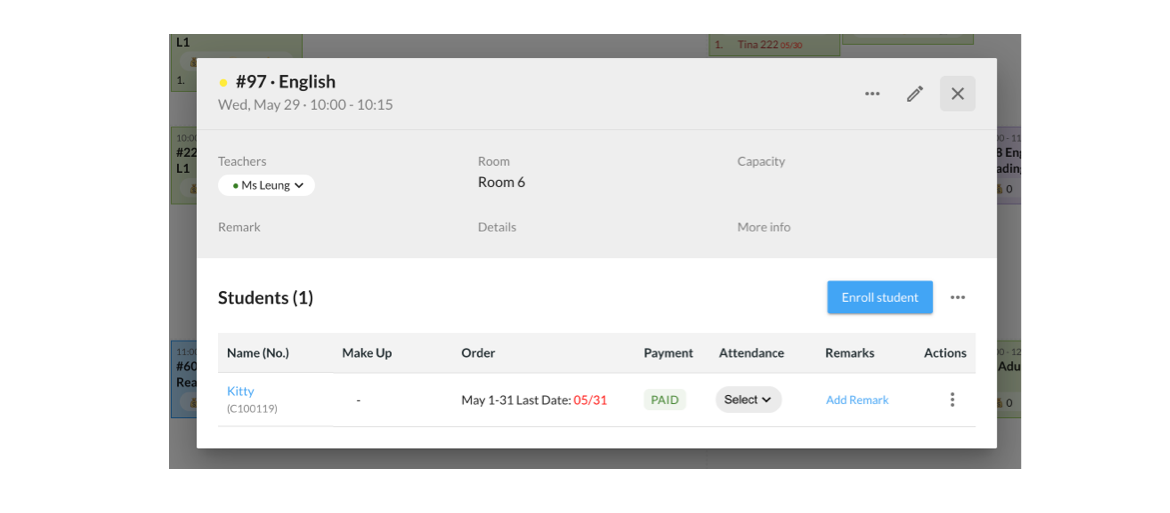
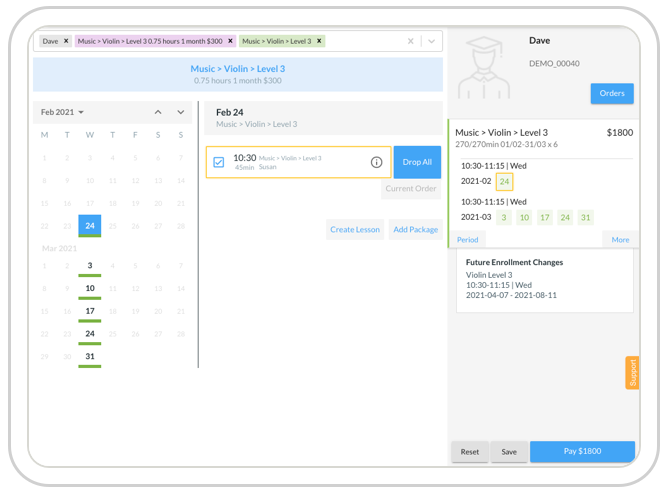
A POS designed for educational institutions makes enrolment a seamless experience — and easy to train new staff on. With SchoolTracs, administrators simply select a course from the timetable, add the student to the timeslot, and choose the payment method. Enrolment really is only a click away.
Course capacity takes care of itself. When a parent calls to ask about courses, staff can search for available classes with remaining seats to recommend. When a student is enrolled, the POS automatically updates the enrolled count, so other staff — even working remotely — can check remaining seats and never exceed the course quota.
How should invoicing and receipts work?
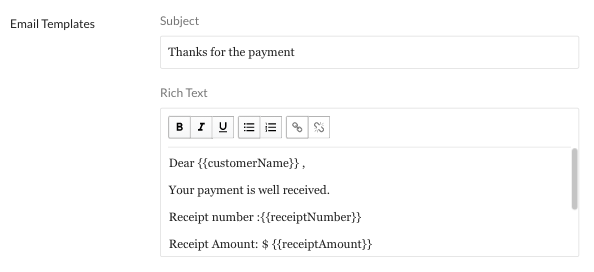
Whenever staff enrol or reschedule a student, the POS calculates the course fee according to the lesson dates and any skipped lessons on the calendar, then sends the invoice to the parents' email directly through SchoolTracs. Institutions can choose between issuing an invoice or processing payment instantly at the POS, matching their financial workflow.
- On receiving payment, issue the receipt and mark the payment method — cash, cheque, online payment and so on — then email it to parents directly.
- Invoice and receipt email templates are customizable and auto-fill the student's name and course description, saving manual input every time.
- Because templates are standardized, every staff member working anywhere sends invoices and receipts the same way.
- Once invoicing is complete, the system automatically generates and schedules the lessons from the enrolled students and course details — no manual scheduling.
What happens when enrolments change or lessons are skipped?
Rescheduling is where spreadsheets break down. In a centralized POS, invoices update automatically in line with any rescheduling on the calendar. If required, staff can create credit notes for students to pay for future lessons, and you can always check the list of outstanding lessons owed to students and their total value.
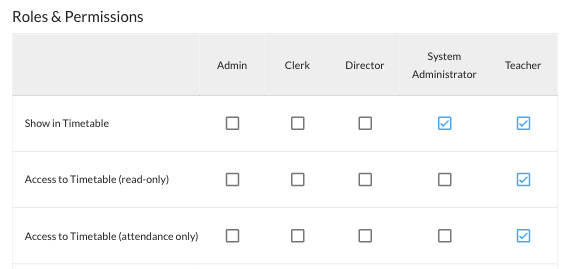
Teachers stay informed too. Once a student is enrolled, their name appears on the teacher's timetable; if the student applies for leave, the timetable reflects it. Teachers always know the up-to-date enrolment for preparing lesson plans and materials, and admin staff no longer relay student counts back and forth.
How do I sell teaching products alongside courses?
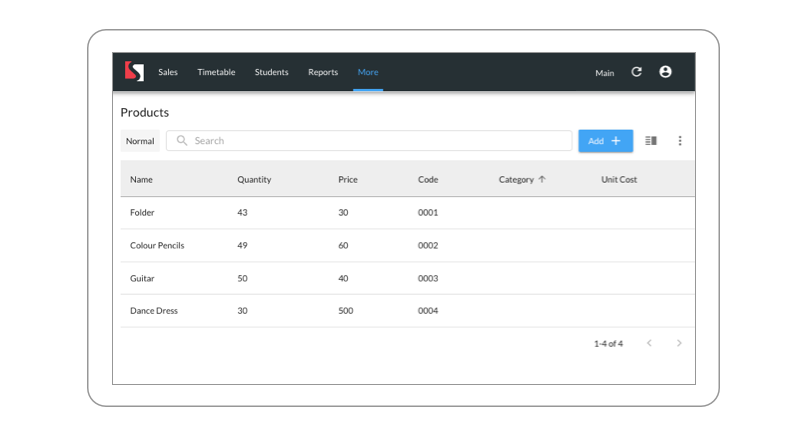
The same POS can sell teaching products — textbooks, exercise books, uniforms, art supplies — so course and product sales live in one system. Start by importing your product list: each product carries a name, category, code, price, quantity, unit cost, location and description, and is easy to search and sort. You can export the list just as easily.
- Input the quantity of every product; the system automatically deducts stock at checkout.
- Track stock levels to spot which products are out of stock or carrying excess inventory.
- If a customer returns a product and you void the invoice, inventory is updated automatically.
- Compare sales in the product report to identify best-sellers — keep those well stocked, and promote slow movers with discounts.
How do I keep stock accurate across branches?
Managing inventory across multiple locations is challenging when you are juggling exercise books, school bags, ballet shoes and art supplies. Two features keep headquarters and branches aligned:
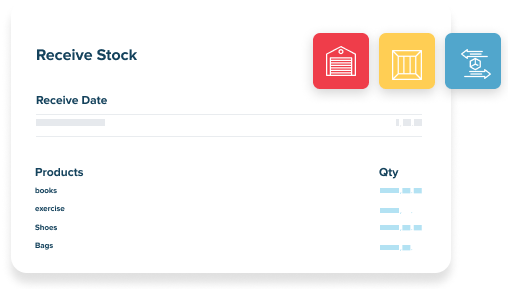
- Receive Stock — when new stock arrives, log each batch with its quantity and date. Every stock-in event is tracked for easy reconciliation, the complete stock-in history reveals restocking trends, and the data supports smarter purchasing decisions.
- Branch Stock Transfer — running low at one branch? Move inventory from HQ or another location. The system notifies both the sending and receiving branches, both sides confirm the transfer for full accountability, and you get real-time alerts when stock runs low anywhere.
Together they reduce manual work, minimise human error and improve inventory accuracy — less time on admin, more time growing your centre.
How should a centre manage remote POS work?
Many centres arrange staff to work remotely. Keep enrolments, invoices, receipts and scheduling in the same approved system so the timetable and income reports remain consistent, and document how staff should handle exceptions rather than exchanging informal spreadsheets or chat summaries.
Managers also keep visibility over the money. Built-in real-time reports show new enrolments and drop-outs across branches and income for the day, handled by any admin staff member. There is no need to invent a paper or spreadsheet workflow to communicate enrolments — checking the income report at the end of day is easier than collecting summaries from each staff member. For the full end-of-day routine, see the reports every tuition centre owner should check, starting with the daily closing report.
Putting it together: a daily sales workflow
- Enrol students from the timetable in a click; capacity and the teacher timetable update automatically.
- Issue invoices or take payment instantly; email receipts with the payment method recorded.
- Sell products at the same checkout; stock deducts automatically.
- Handle reschedules and leave through the calendar; invoices and credit notes follow automatically.
- Close the day against the real-time income report, and restock or transfer inventory where alerts flag shortages.
SchoolTracs combines POS, scheduling, attendance, invoicing and inventory in one system built for education centres. Sign up for a free trial and run your first end-to-end enrolment sale in minutes.
Frequently Asked Questions
What is a POS system for an education centre?
It is a point-of-sale built around courses rather than retail items. Staff enrol students from the timetable, the system calculates fees from lesson dates, issues invoices and receipts, records the payment method, and updates course capacity, the teacher timetable and income reports automatically.
Can I sell textbooks and teaching materials through the same POS as courses?
Yes. Import a product list with name, category, code, price, quantity, unit cost, location and description, then sell products alongside courses at checkout. Stock is deducted automatically, and restored if an invoice is voided for a return.
How do I handle rescheduling or skipped lessons without breaking the invoices?
In SchoolTracs, invoices update automatically in line with any rescheduling on the calendar. If needed, staff can create credit notes so students can pay for future lessons, and you can check the list of outstanding lessons owed to students and their value.
How do I keep inventory accurate across multiple branches?
Use Receive Stock to log every incoming batch with quantity and date, and Branch Stock Transfer to move items between locations. Both branches are notified, confirmations are tracked, and you get real-time alerts when stock runs low at any location.
How should a centre manage remote POS work?
Use the centre's approved work procedure, keep enrolments and payments in the same system, and reconcile the daily reports rather than exchanging informal spreadsheets or chat summaries.