



Most progress reports fail for a simple reason: they arrive too late, too rarely, and with too little to look at. A term-end paragraph of generic comments tells a parent almost nothing about what their child actually did in your classroom, and writing those reports in bulk is a chore teachers dread. Meanwhile the evidence parents would love to see, the artwork, the corrected homework, the certificates, sits in folders nobody opens.
SchoolTracs journals turn progress reporting into something lighter and more engaging: short, frequent entries with real attachments, written on the web or in the Teacher App moments after class, and delivered straight to parents in the Student App. This guide covers what to put in journals, how to add them on mobile, and how to keep the records accurate and private.
What Should a Progress Journal Actually Contain?
Journals in SchoolTracs are flexible enough to document a student's whole learning journey, not just grades. Journals hold remarks and evidence about an individual student, while Course Materials distributes syllabus content and files to a class; keep the two separate rather than mixing homework distribution into a personal record. Four use cases cover most centres:
- Assessment and progress tracking. Upload and store student assessments and progress reports in one central place, so teachers can monitor academic development over time, gain insight into each student's progress, and tailor teaching strategies accordingly.
- Homework management. Upload digital copies of homework assignments so students can access and download them conveniently, streamlining distribution and reducing the chance of assignments being misplaced or forgotten.
- Painting portfolio showcase. For art classes, upload images of students' paintings to build a digital portfolio that is easy to access and share, fostering creativity and giving families a record of progress and achievements.
- Certification records. Store diplomas, awards and other credentials securely and centrally, making verification of students' accomplishments seamless and record-keeping efficient.
How Do I Attach Real Evidence, Not Just Comments?
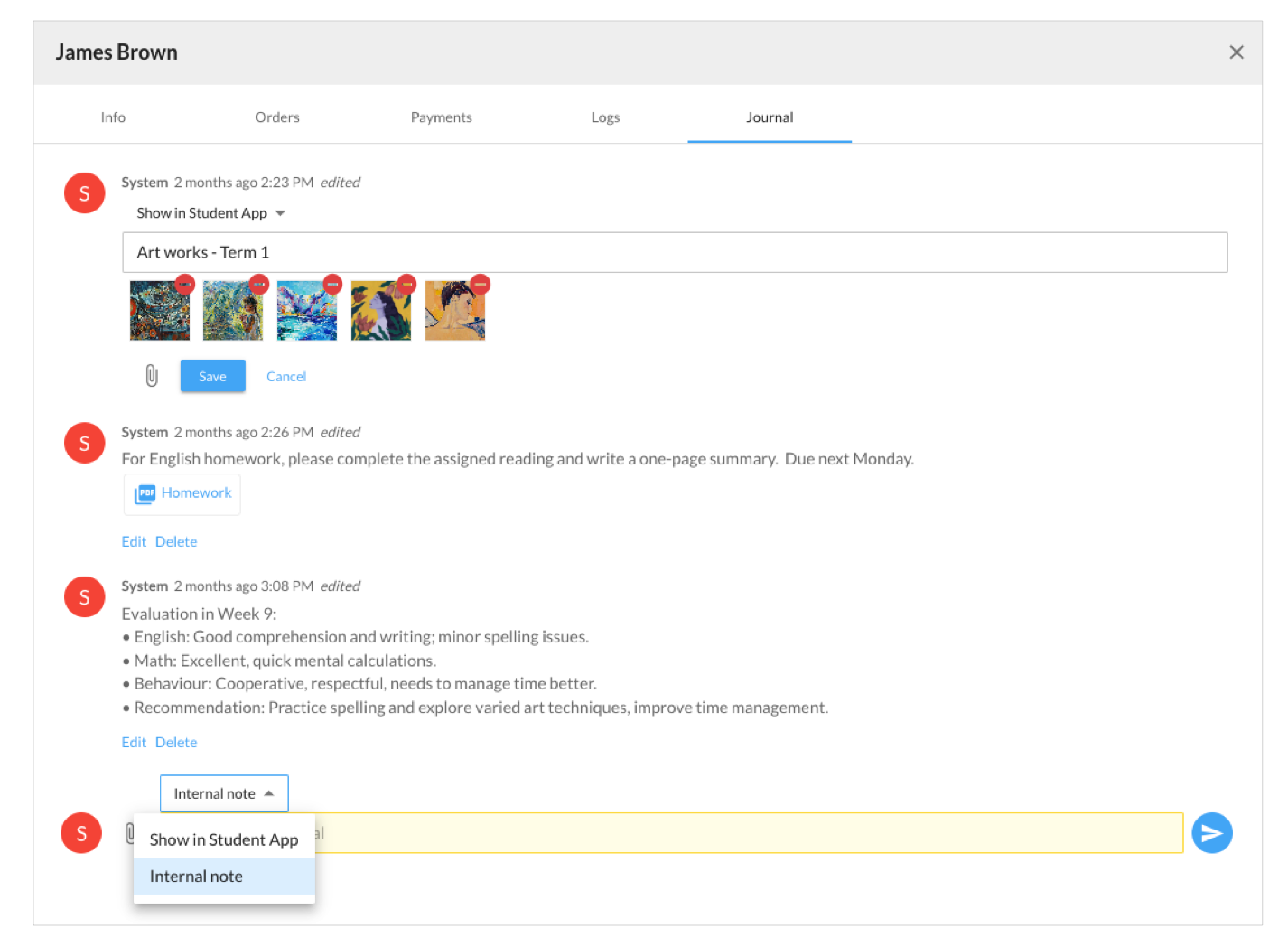
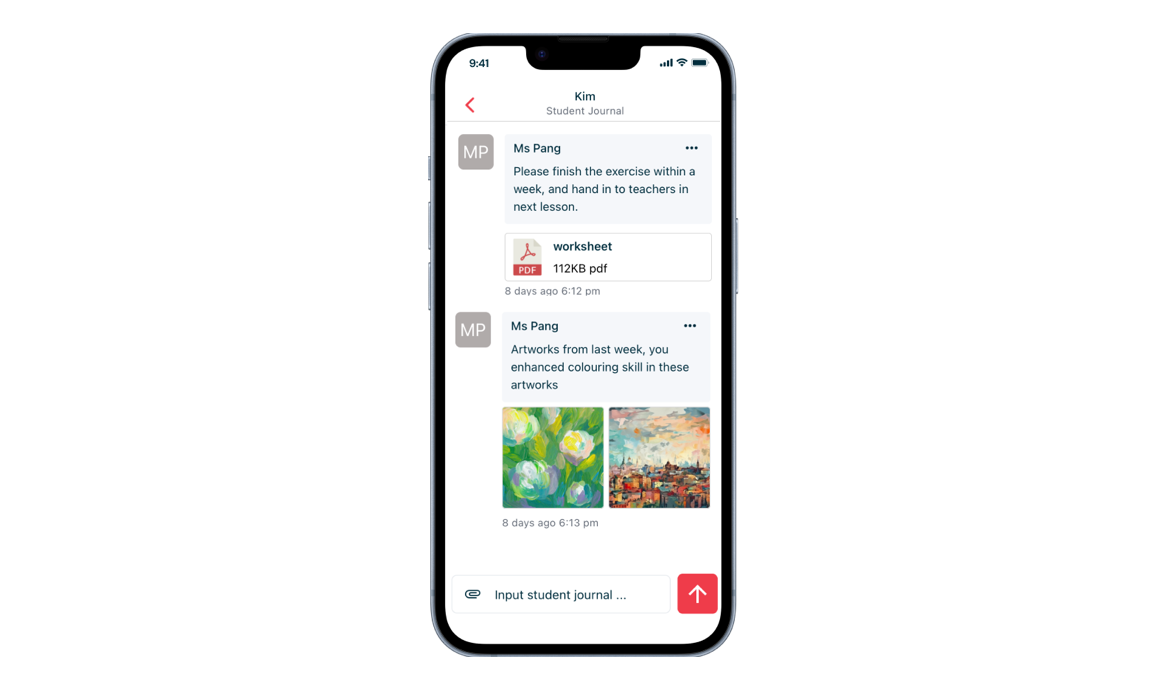
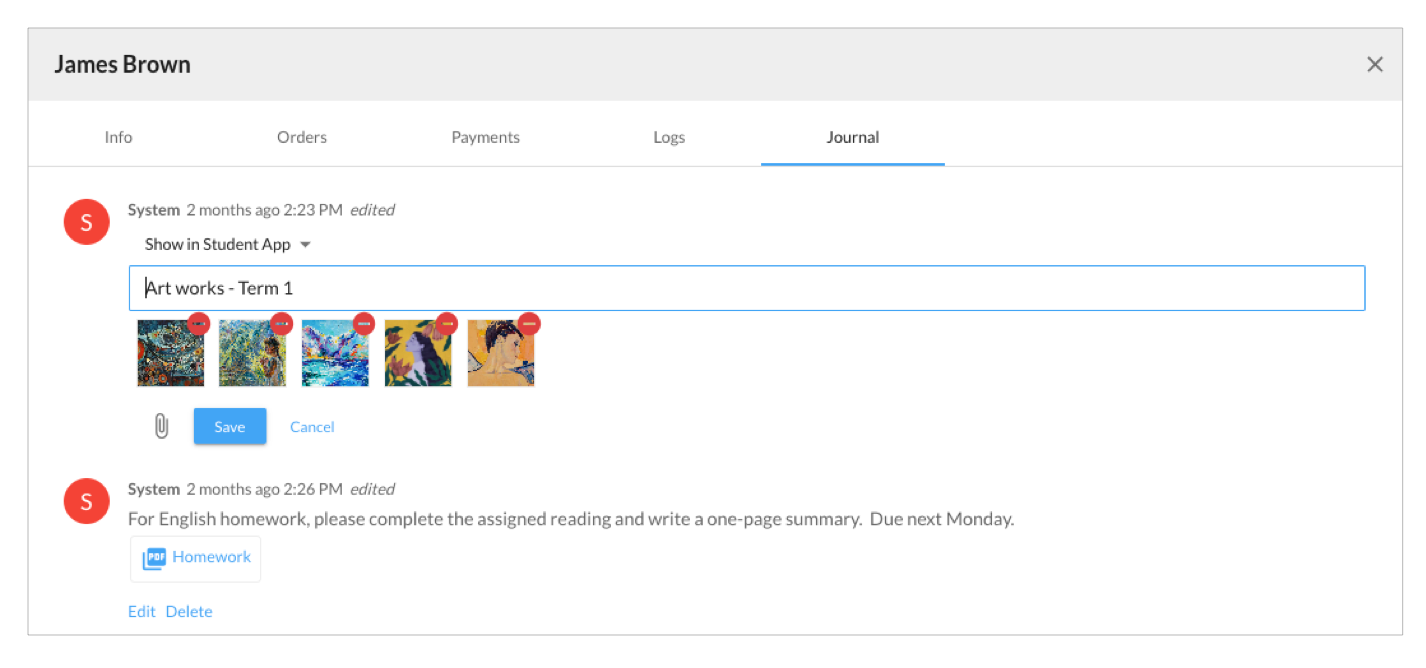
A report parents actually read shows the work, not just a grade. SchoolTracs lets teachers upload PDF documents and photos directly into journal entries, capturing important student information and achievements such as consent forms or project presentations alongside the teacher's comments. Supplementary materials like students' artwork or homework files give parents a holistic view of their child's academic journey and make the feedback far more engaging than text alone.
How Do Teachers Mark Journals Right After Class?
The best time to write feedback is the five minutes after a lesson, and the SchoolTracs Teacher App makes that possible from any phone. Marking becomes a seamless, efficient process:
- Add remarks on each student's learning performance immediately after the lesson.
- Choose whether a remark is for internal staff reference or for external sharing with parents, so candid teaching notes stay separate from family-facing feedback.
- Attach images or PDF files, such as artwork or homework materials, to enrich the entry.
The same app also streamlines the rest of a teacher's routine, including QR code attendance scanning that works indoors or outdoors and syncs with the system timetable. Download the SchoolTracs Teacher App from the App Store and Google Play Store.
How Do I Keep Journal Records Accurate Over Time?
A progress record is only trustworthy if it can be corrected. SchoolTracs lets teachers easily edit or delete old journal entries, so the database stays relevant, reliable and reflective of the most current information. A typo in a remark, an attachment uploaded to the wrong student, or an outdated assessment can all be fixed in seconds, keeping documentation organized without workarounds.
How Do Parents and Students Actually Read the Reports?
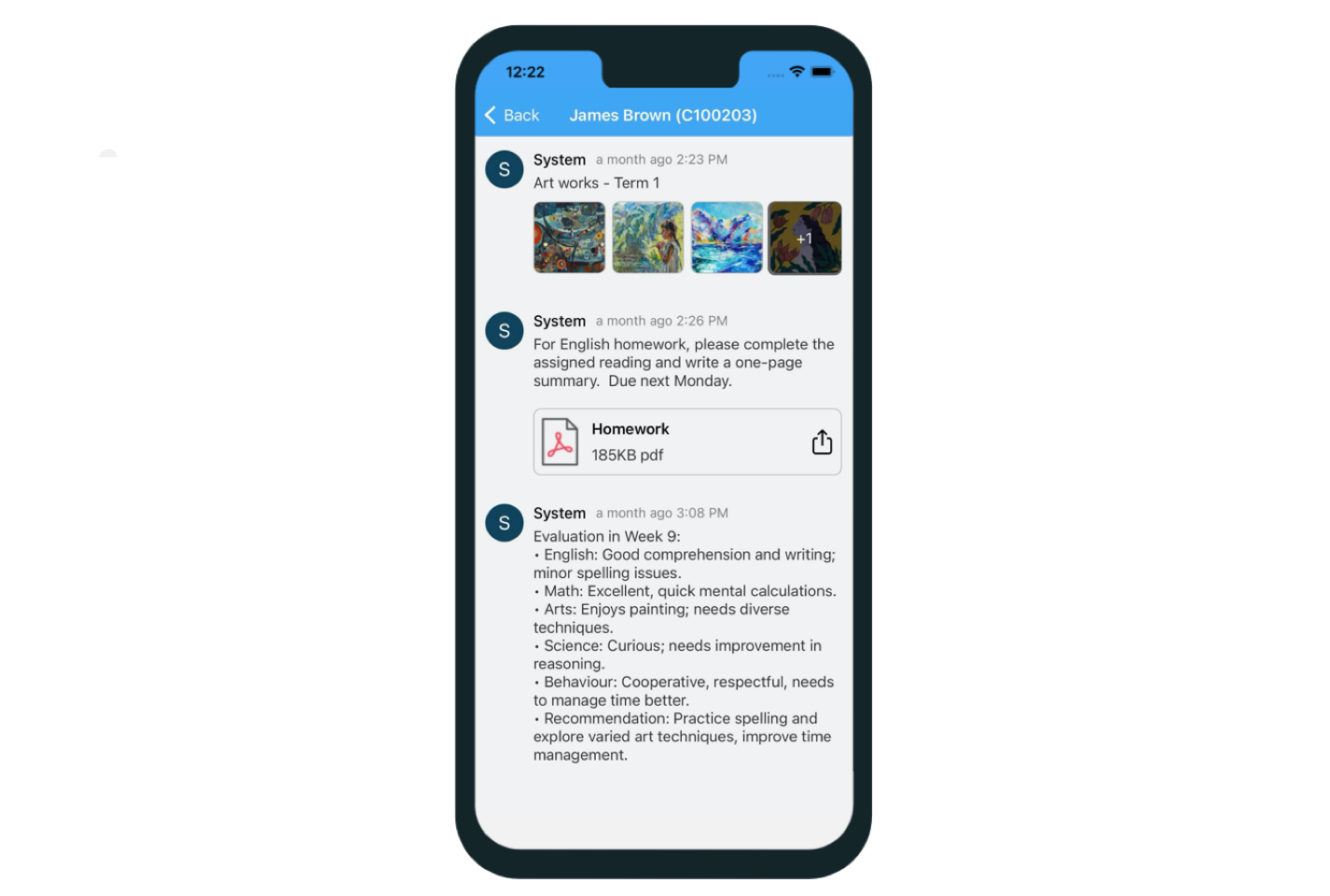
Journals only work if families see them without effort. SchoolTracs supports both web and mobile access: teachers manage and organize documents and materials through the web interface, while students and parents review progress, access learning materials and download resources from anywhere in the SchoolTracs mobile app. Because the entry lands in the same app parents already use for schedules and payments, feedback reaches them where they already look, keeping everyone connected and informed regardless of location.
How Should Progress Records Be Governed?
Progress data is personal, so the centre should document who prepares, reviews and shares each type of journal entry, how long records are retained and which observations stay internal. Software can support that process, but the organisation remains responsible for its notices, retention and handling practices.
What Makes a Journal Entry Worth Reading?
Frequency beats length. A two-sentence remark with a photo of today's worksheet, sent the same afternoon, does more for parent trust than a page of prose at the end of term, because it arrives while the lesson is still fresh and shows evidence rather than adjectives. A few habits that keep entries readable:
- Lead with something specific the student did today, not a general trait.
- Attach one artefact per entry: the corrected homework, the painting, the assessment page.
- Name the next step, so parents know what to practise or expect before the following lesson.
- Keep sensitive observations as internal remarks and share only the constructive version with families.
Because entries accumulate in one place, the journal also becomes your centre's long-term memory: when a parent asks how their child has developed since enrolment, or a new teacher takes over a class, the full history of assessments, remarks and attachments is already organized and searchable. That is documentation that streamlines administrative tasks, strengthens collaboration between teachers, students and parents, and lets educators focus on delivering quality education and supporting student growth.
A Simple Journal Routine for Your Centre
- Step 1: Decide what each course's journal should capture: assessments, homework, portfolio images or certificates.
- Step 2: Document who prepares, reviews and shares each type of entry.
- Step 3: Have teachers mark journals in the Teacher App right after class, with a short remark and one attachment.
- Step 4: Mark internal notes as staff-only and share the rest with parents.
- Step 5: Review and edit entries periodically so records stay current, and archive certificates and assessments as they arrive.
Journals are one half of parent engagement; the other half is day-to-day messaging, reminders and notices, covered in our guide on how to keep parents informed. Ready to send progress reports parents actually open? Start a free trial at SchoolTracs.
Frequently asked questions
What can teachers store in a SchoolTracs journal?
Journals hold assessments and progress reports, digital homework copies, images of student artwork for portfolios, certification documents such as diplomas and awards, plus PDFs and photos like consent forms or project presentations.
Can teachers mark journals from their phone?
Yes. The SchoolTracs Teacher App lets teachers add remarks on a student's learning performance and attach images or PDF files such as artwork or homework materials, right after class from a mobile device.
Can journal remarks be kept internal instead of shared with parents?
Yes. Remarks can be written for internal staff reference or shared externally with parents, so teachers can keep candid teaching notes separate from the feedback families see.
Can journal entries be edited or deleted later?
Yes. SchoolTracs lets you edit or delete old journal entries, so records stay accurate, up to date and reflective of the most current information.
How do parents and students see journal updates?
Teachers manage journals on the web or the Teacher App; parents and students view progress, access learning materials and download resources anytime through the SchoolTracs Student App.