



Every tuition centre owner knows the pattern: a WhatsApp message at 8 pm — "Sorry, can't make tomorrow, can we reschedule?" Each individual request is trivial. In aggregate, they are one of the most dispute-prone parts of running a centre. Parents insist a make-up was promised; your records show nothing. A student's paid lessons quietly expire because nobody noticed the absence was never rebooked. Attendance and payment records drift apart from the actual schedule, and by term end nobody can say with confidence who is owed what.
Fairness here is really a record-keeping problem. If every absence is captured, every make-up is linked to the missed lesson it replaces, and every change is confirmed to the family, there is much less room for disagreement. This guide lays out that workflow end to end, using SchoolTracs as the working example. (For preventing scheduling problems before they happen, see our companion guide on how to schedule classes at a tuition centre.)
Step 1: Give students a proper channel to apply for leave
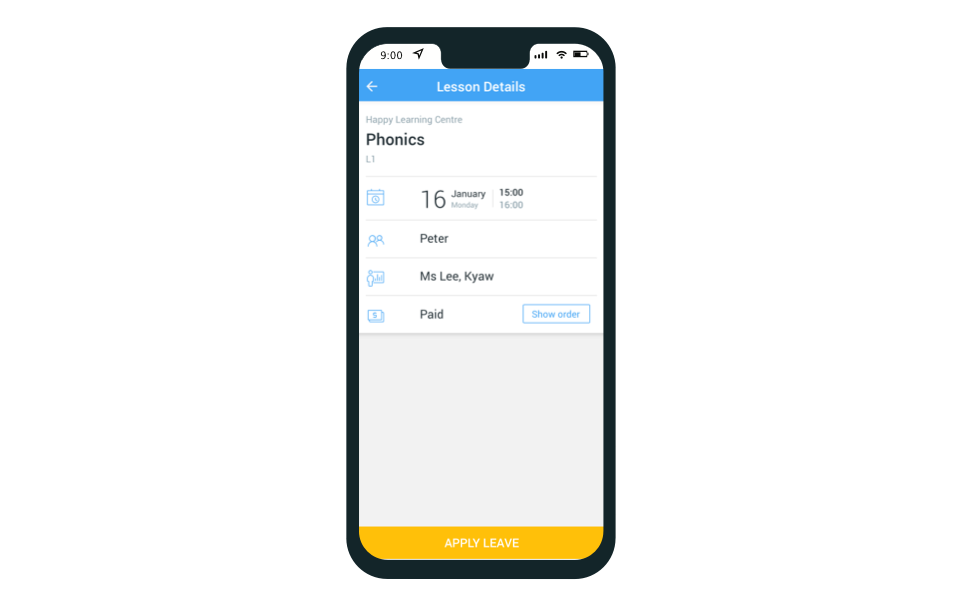
Leave requests scattered across phone calls, WhatsApp, and front-desk conversations are where records go missing. Route them through one channel instead: students and parents apply for leave in the SchoolTracs mobile app, and the admin approves the application in the system before arranging a make-up lesson. Every absence now starts with a timestamped record, and the teacher's timetable reflects it immediately.
Step 2: Track who is owed a make-up — before parents ask
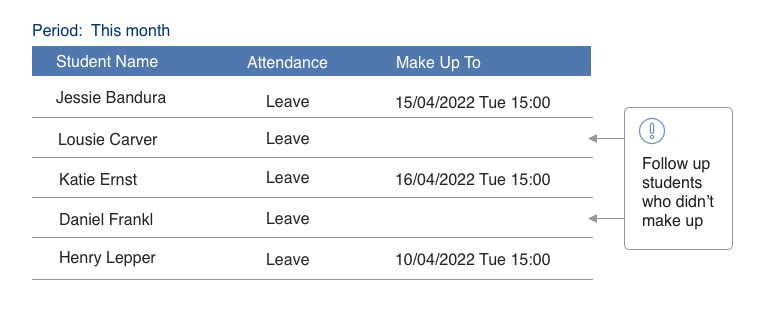
The absences that cause trouble are the ones nobody follows up. Digging out which students were absent from an Excel file is tedious enough that it rarely happens. The SchoolTracs enrollment report filters, in a second, exactly which students took leave but have not yet rescheduled, so the front desk can work through the list proactively instead of waiting for an unhappy phone call — or worse, a quiet non-renewal.
Step 3: Rebook into a suitable class — with the link preserved
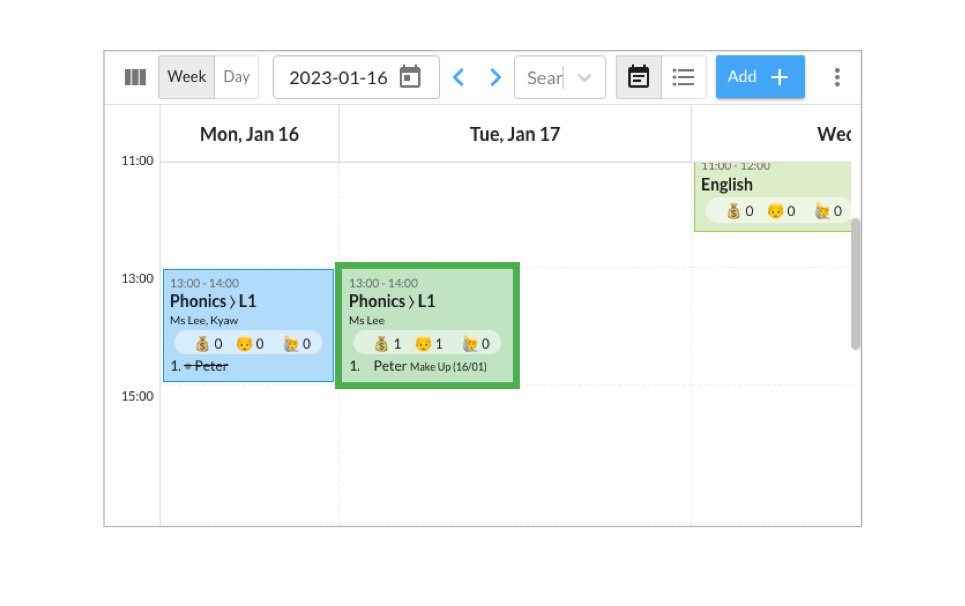
When you reschedule a student, two things matter: the new class must actually fit, and the paper trail must survive. In the SchoolTracs timetable you first check which classes cover the same course content and still have capacity — every time slot shows the enrolled students' names, so seats are visible at a glance. Then, within one click, the student is rescheduled.
Crucially, the student's name appears in the new time slot together with the original lesson date, and both the original lesson and the make-up lesson carry records showing which lesson the make-up was rescheduled from. Attendance and payment records stay attached to the right lessons instead of messing up, and when a parent asks "did we ever use that missed Tuesday class?", the answer is one lookup away.
Step 4: Split one missed lesson into shorter make-up sessions
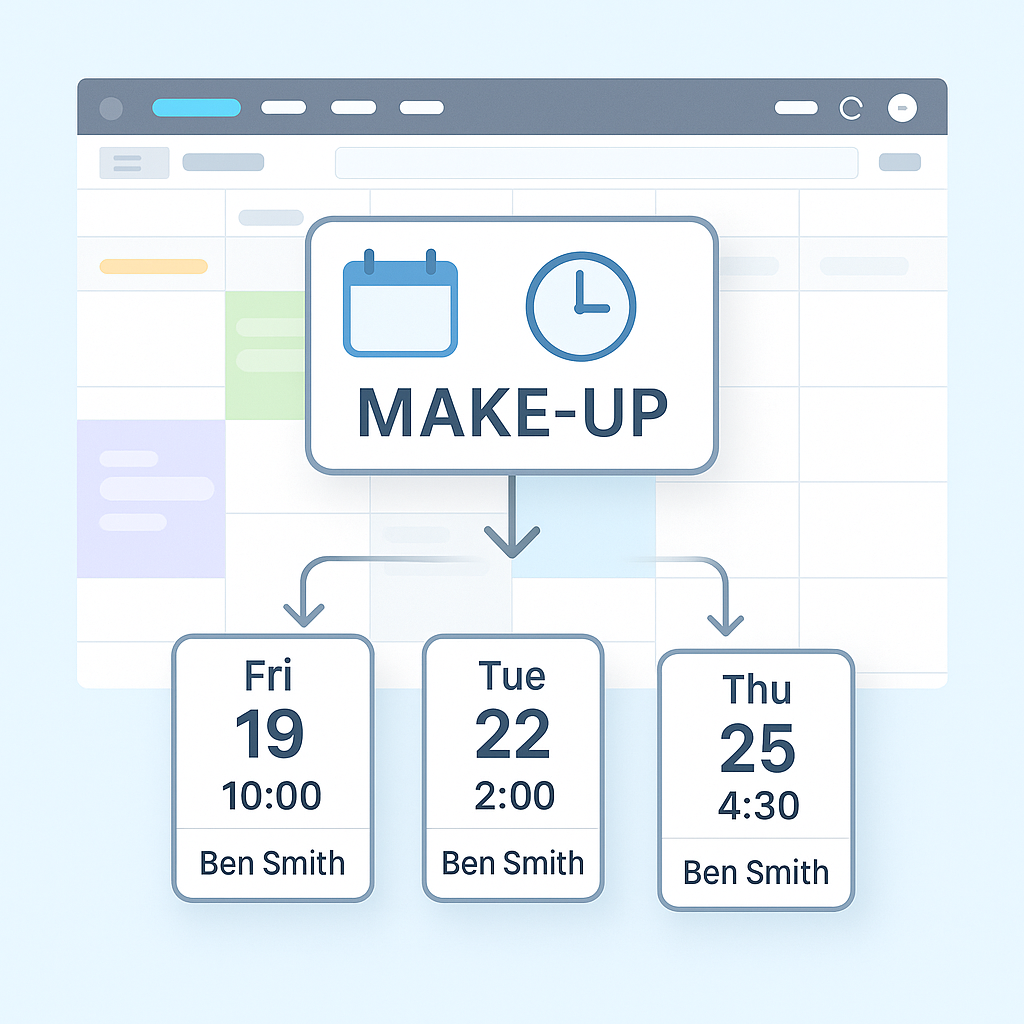
In one-on-one settings — music schools, language classes, private tutoring — it is common practice to split a missed 60-minute lesson into multiple shorter make-up sessions. It saves time, maximizes teacher resources, and avoids squeezing extra full-length lessons into an already tight timetable.
- Automatic tracking: SchoolTracs links each make-up session to the original lesson, eliminating manual tracking.
- Instant clarity: staff can answer student or parent enquiries about make-up status instantly, from accurate records.
- Flexible scheduling: if time still remains after a partial make-up, the rest can be arranged later — perfect for busy schedules.
- Reduced pressure on teacher availability, and better administrative transparency overall.
Step 5: Confirm every change with the family
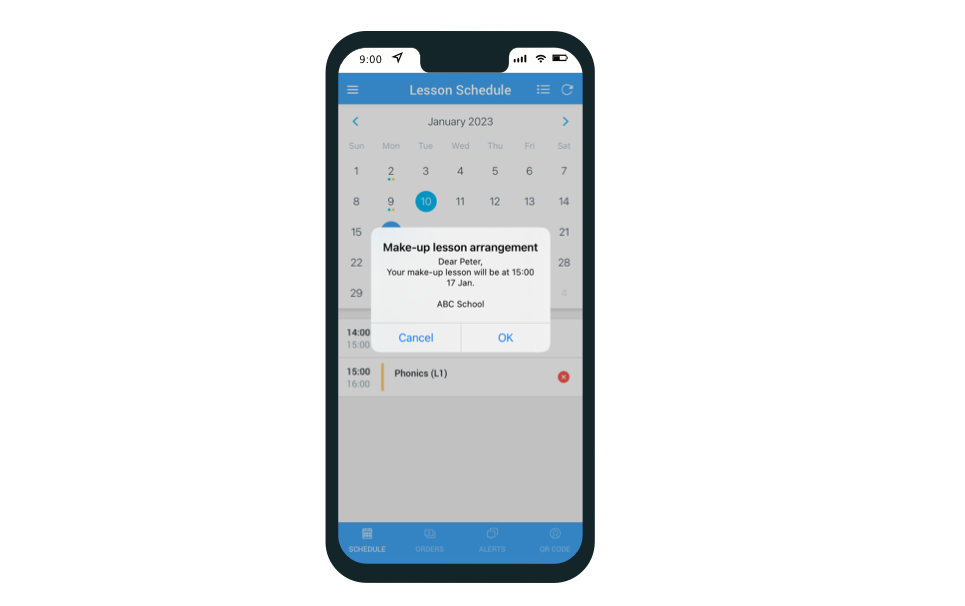
A make-up lesson the parent never heard about is a no-show waiting to happen. After rescheduling, the admin sends a notification to the student's mobile app confirming the new make-up date and time. Rescheduled lessons are tracked in an orderly way in the timetable, teachers see the updated schedule the moment they log in or open the Teacher App, and everyone — admin, teacher, student, parent — is working from the same version of events. All schedule, attendance, and make-up updates sync in real time across the teacher and student apps.
Can teachers handle rescheduling themselves?
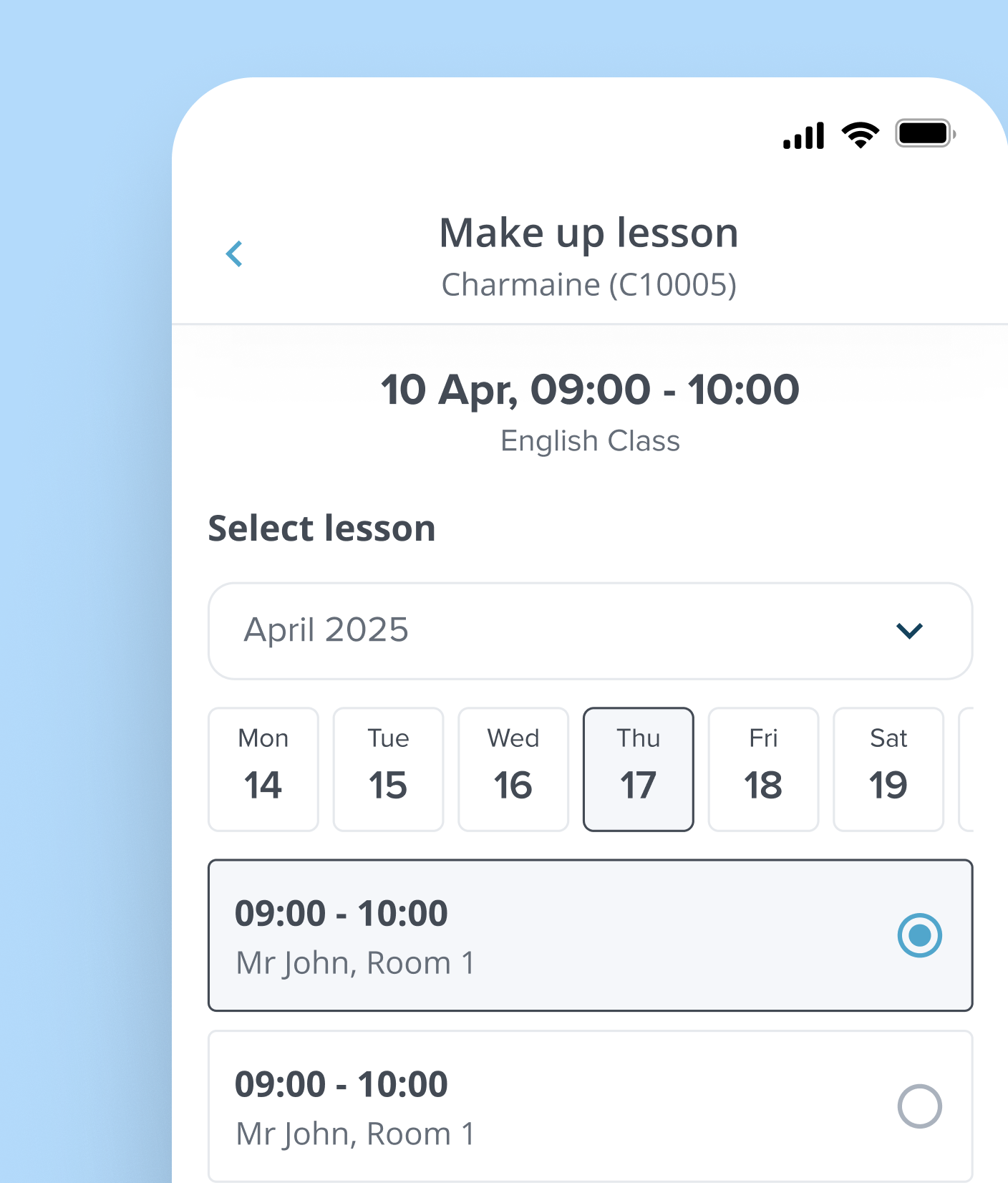
Often the reschedule request lands with the teacher — mid-lesson, in a practice room, away from any computer. Rather than relaying everything through the front desk, teachers can handle changes directly in the SchoolTracs Teacher App. In total SchoolTracs supports eleven distinct reschedule and leave operations; the ones teachers reach for most are:
- Move a student into an existing session — ideal for group classes. The app shows every upcoming session under the same course at a glance; pick the best slot and move the student instantly.
- Create a new make-up slot — for one-on-one lessons or when no existing slot fits, add a make-up session in the app and schedule the student right away.
- Edit an entire session's time — when a whole class needs to shift because the teacher is unavailable, everyone prefers a new time, or the venue changes, update the session once and all enrolled students sync automatically.
- Move a student to another weekday — handled from Sales when a student's regular slot no longer fits their schedule, without touching anyone else's booking.
- Skip a single lesson — for a one-off absence that doesn't need a make-up at all, distinct from dropping the course.
- Drop one lesson vs. drop the whole course — kept as separate actions, each with its own refund/credit-note path, so a single missed class never accidentally cancels the rest of the enrolment.
Centres should document who handles each type of timetable change and how exceptions are reviewed, so the faster mobile workflow remains consistent with the centre's operating procedure.
What if the student drops the lesson instead? Refunds and credit notes
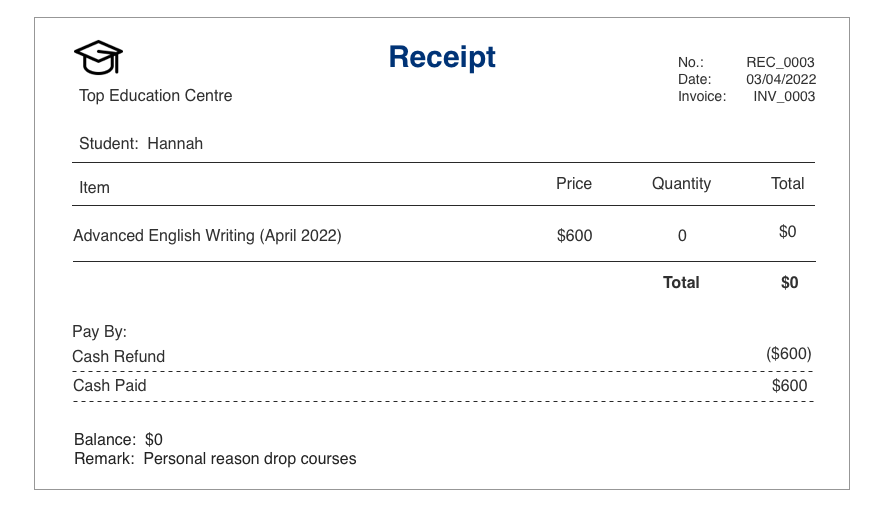
Sometimes no make-up time works and the fair outcome is money back or credit forward. Handle both without breaking your accounts: in SchoolTracs you can issue a cash refund and generate a refund receipt for the customer, or create a credit note that the POS saves so the amount is easily deducted from the tuition fee on the family's next invoice. Either way, the sales report updates automatically for any changed tuition amount, so your revenue figures stay accurate without manual reconciliation.
A fair policy is a traceable policy
Handled this way, make-up lessons stop being a source of friction: leave requests arrive through one channel, unrescheduled absences surface in a report, every make-up is linked to the lesson it replaces, families are notified automatically, and edge cases end in a clean refund or credit note. Parents trust the records because the records are complete — and staff stop spending evenings reconstructing what was promised. SchoolTracs is built around exactly this workflow, alongside timetabling, attendance, billing, and communications for education centres; the fact sheet covers the full picture.
Want make-up lessons your team can manage in minutes, not arguments? Start a free trial at www.schooltracs.com.
Frequently asked questions
What is a fair make-up lesson policy for a tuition centre?
A fair policy is one you can enforce consistently: students apply for leave through a defined channel, every approved absence is recorded, each make-up lesson is linked to the original missed lesson, and parents are notified of the new date and time. Software that tracks the link automatically removes most disputes.
How do I find students who took leave but never rescheduled?
Instead of digging through spreadsheets, use a report. The SchoolTracs enrollment report filters out students who took leave but have not yet rescheduled in a second, so no one's paid lessons quietly expire unredeemed.
Can one missed lesson be split into several shorter make-up sessions?
Yes. SchoolTracs can split a missed lesson into multiple shorter make-up sessions, with each session automatically linked back to the original lesson. If time remains after a partial make-up, the balance can be arranged later — ideal for one-on-one formats like music or language lessons.
Can teachers reschedule lessons from the Teacher App?
Yes. Teachers can move a student into another session, create a new make-up slot or shift a whole session's time from their phone, subject to the centre's operating procedure.
What if a student drops the course instead of rescheduling?
You can issue a cash refund with a printable receipt, or create a credit note that the POS saves for deducting from the next invoice. In SchoolTracs, sales reports update automatically for any changed tuition amount, so accounts stay accurate.